Posting procurement notices ahead of or at the same time as your solicitation document is often a requirement of domestic and/or international trade law. The Procurement Notice function within Orbidder allows you to generate a notice with the project details you already inputted and drafted into the Orbidder system effortlessly.
Please note: It is important to note that only Procurement Leads and Heads of Procurement are able to generate Procurement Notices.
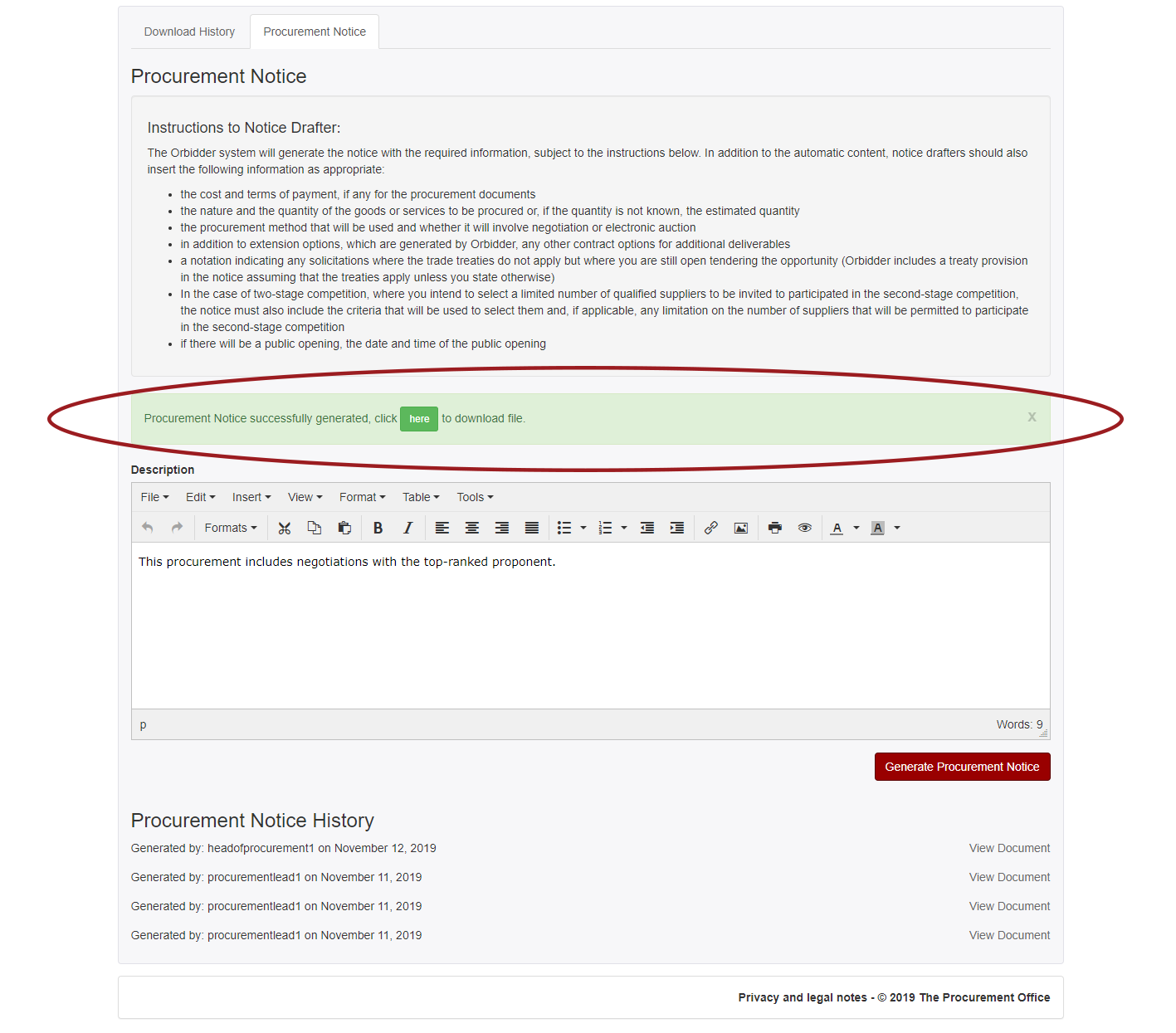
Once all Drafting fields have been marked as Complete, click on the Finalize button on the Project Details page:
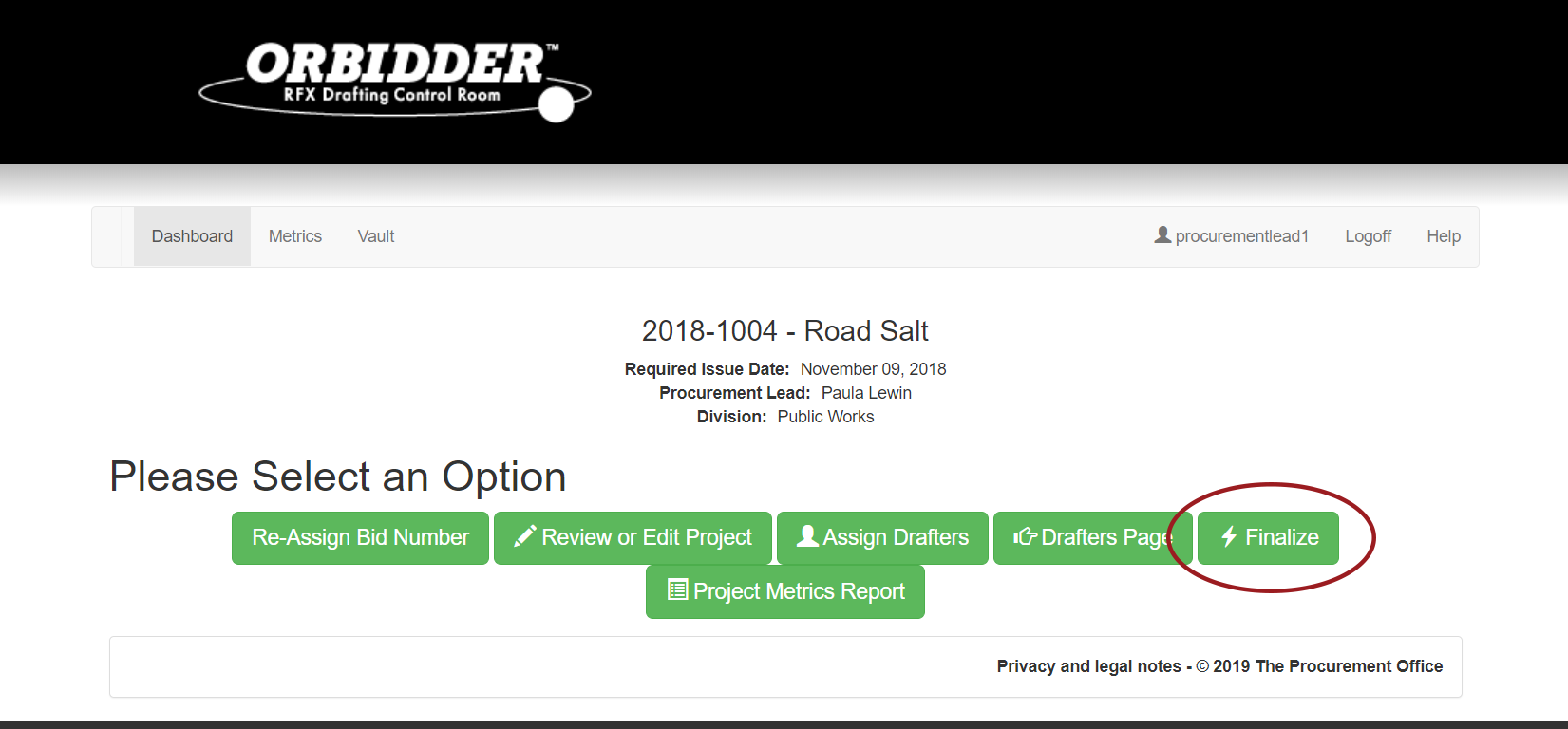
Input the dates and information required on the Timetable page, then click on the Generate Documents button:
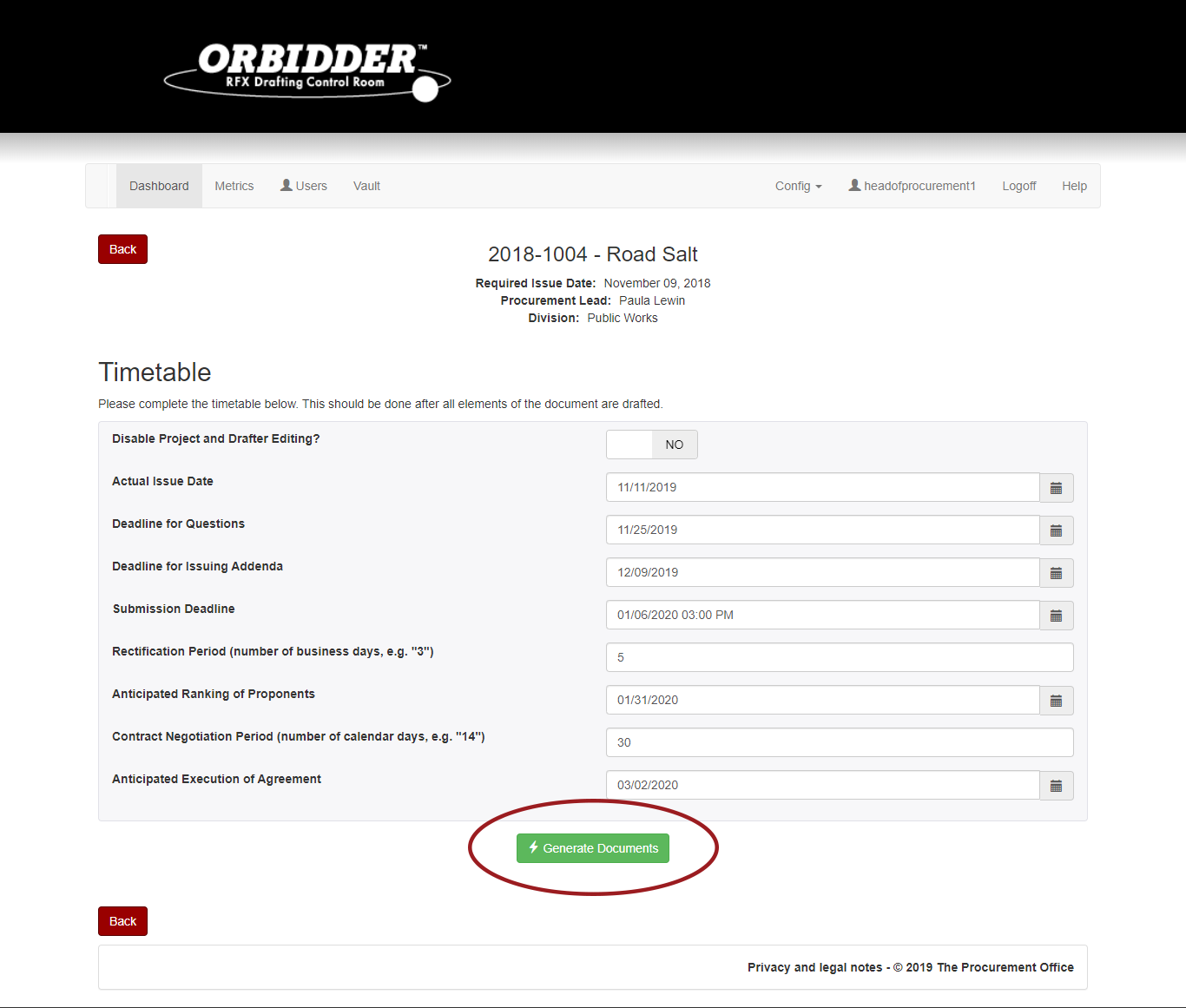
On the Download page, click the Procurement Notice tab:
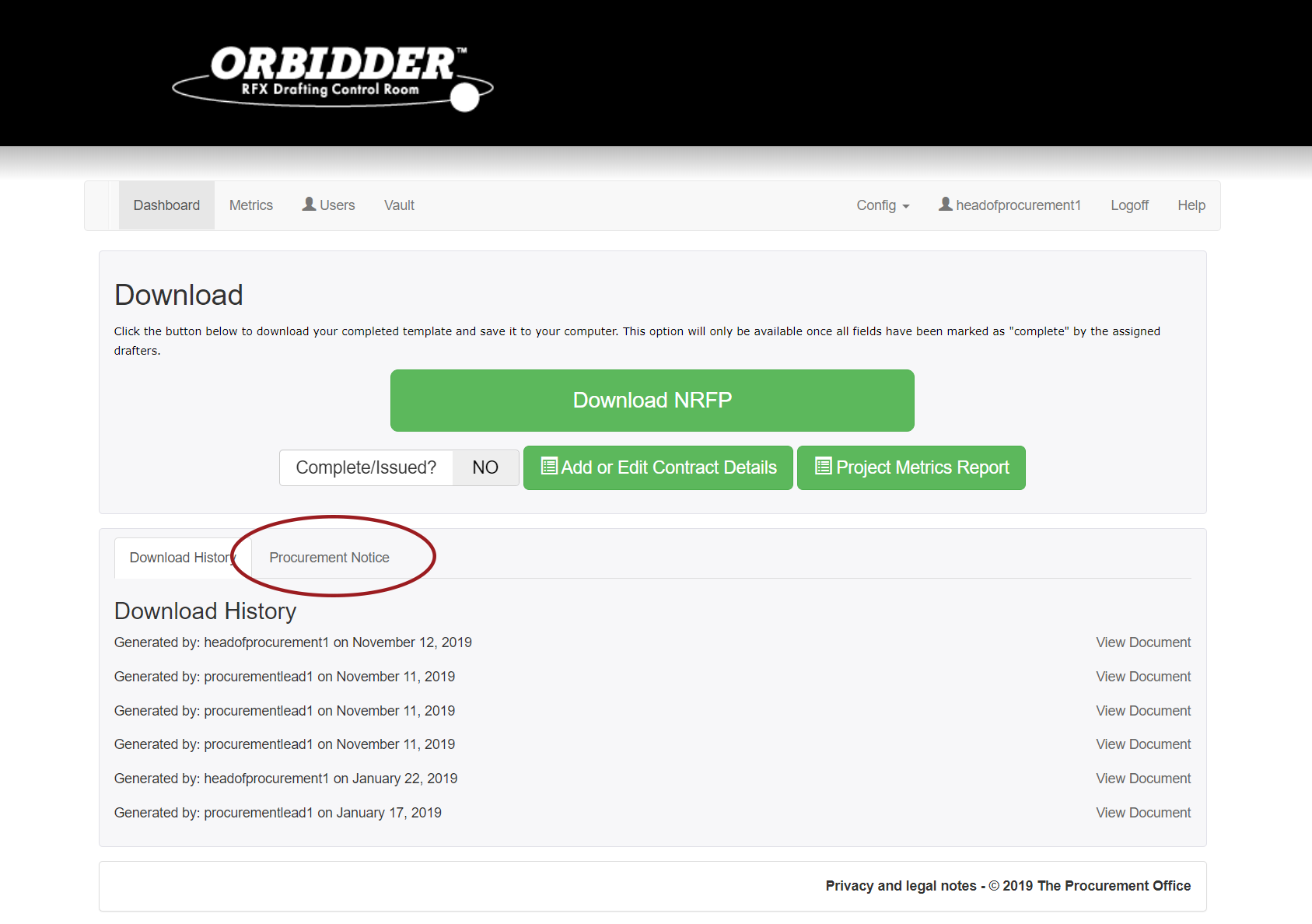
Draft any additional information required in the drafting field, using the provided bullet list to guide you:
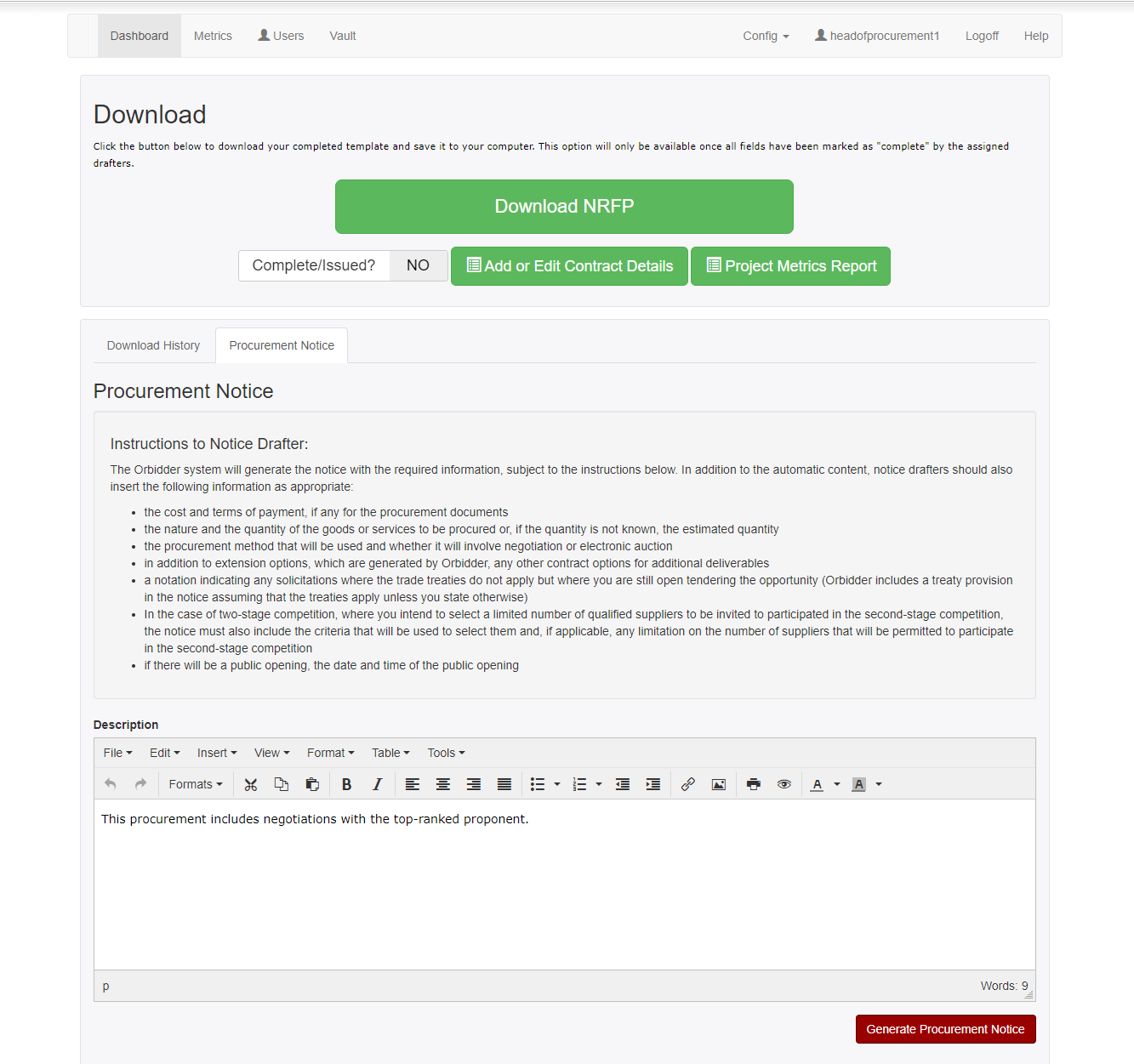
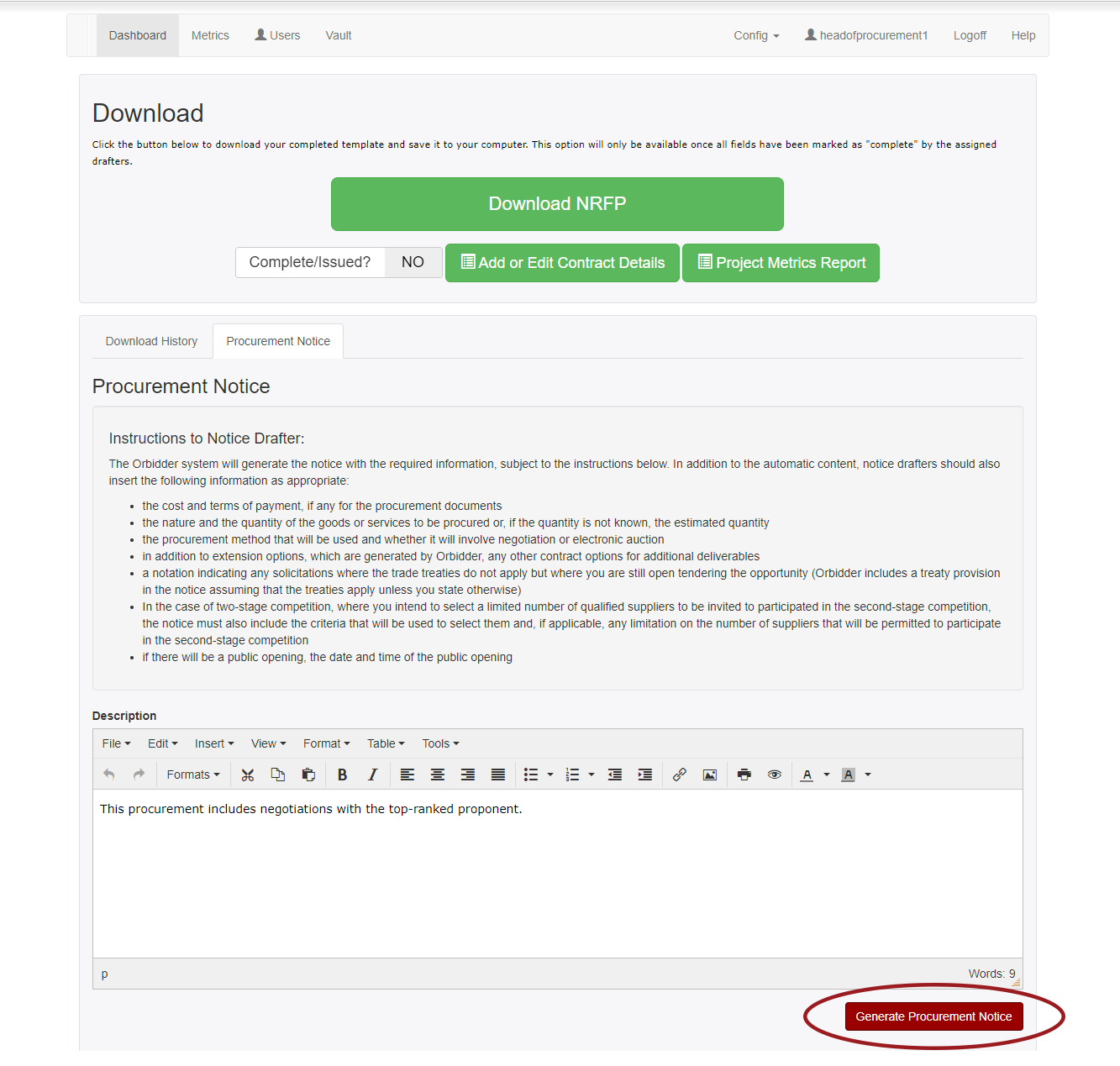
Once you’ve finished drafting any additional information, click on the Generate Procurement Notice button:
Download the generated Procurement Notice by clicking on the ‘here’ button or the View Document link provided at the bottom of the page: